For officials
Make your schedule work for you.
Your games come from different places. Your time belongs to you. Bring the schedule together, compare the combinations, and understand the return on the hours you commit.
Included for pilot testing. Paid plans and billing have not launched.
Travel uses reviewed planning estimates, not live maps or traffic. Missing inputs and constraints are shown; a comparison is not a guarantee of feasibility.
Open the optimizerThe optimizer
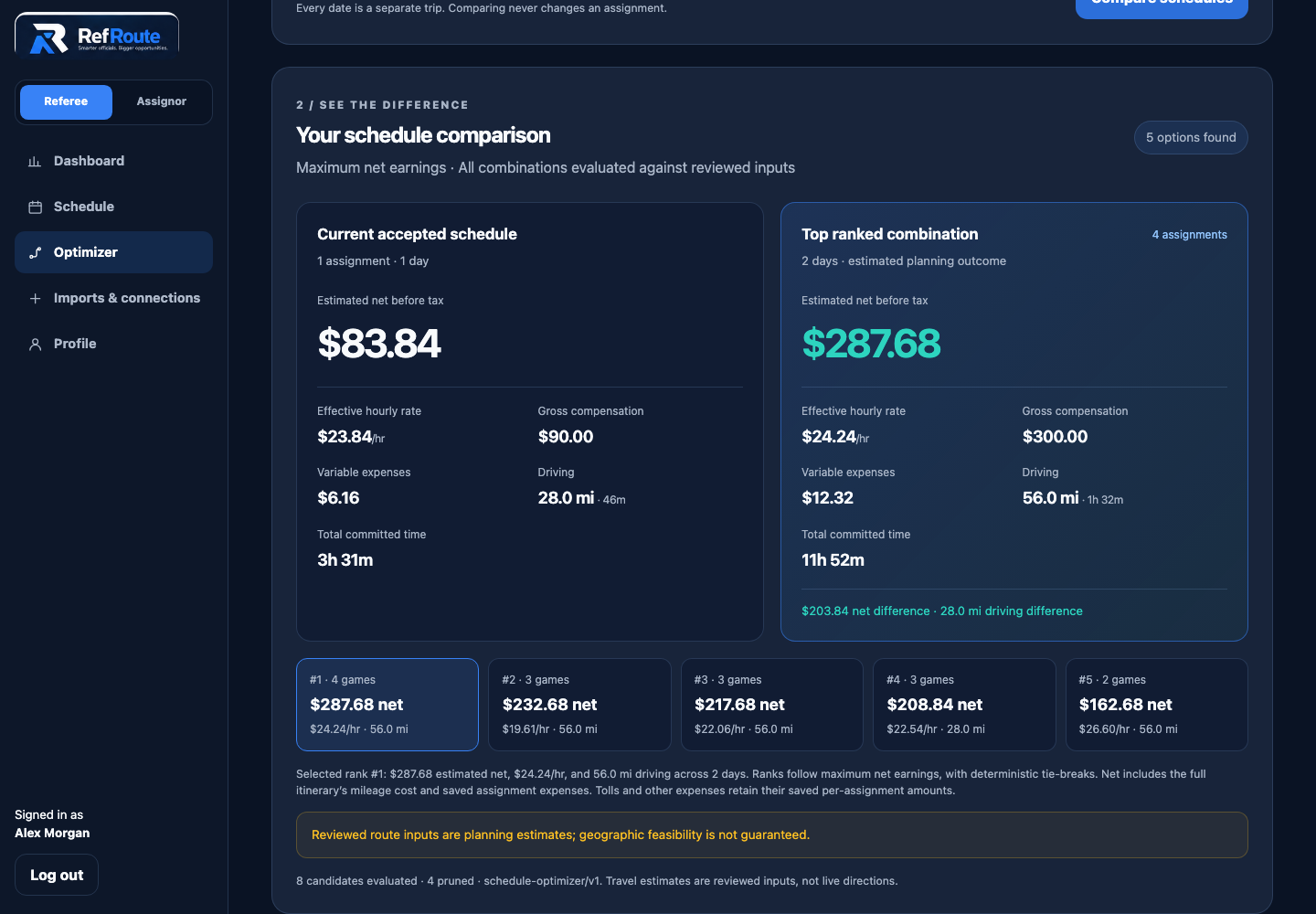
Compare your day, weekend, or week.
A bigger game fee can hide a longer day. Compare combinations of your saved games by estimated net earnings, effective hourly value, driving, or balanced value. See the difference against your accepted schedule before making your own call.
- Four priorities, one explainable comparison
- Ranked alternatives with net, hours, and mileage together
- A bounded search that tells you when results are incomplete
The whole trip counts
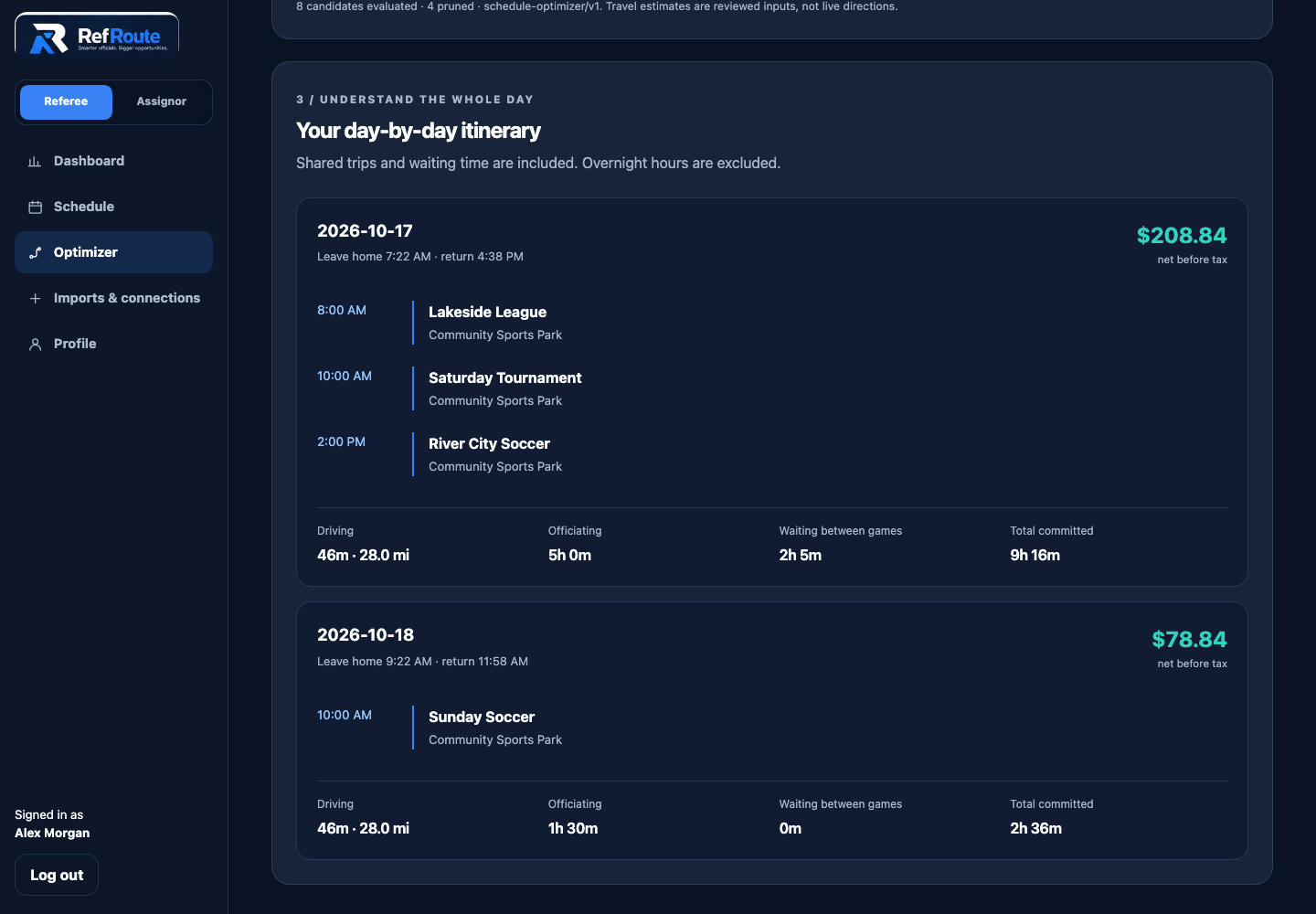
See where the hours go.
Three games at one confirmed location can share a trip—but the gaps between games still cost time. Inspect each day's itinerary, modeled driving, officiating, and waiting. Weekend and week totals exclude overnight hours and use total net divided by total committed hours.
- Shared travel for confirmed common locations
- Waiting between games included in the calculation
- Every date starts and ends as its own trip
Your games, together
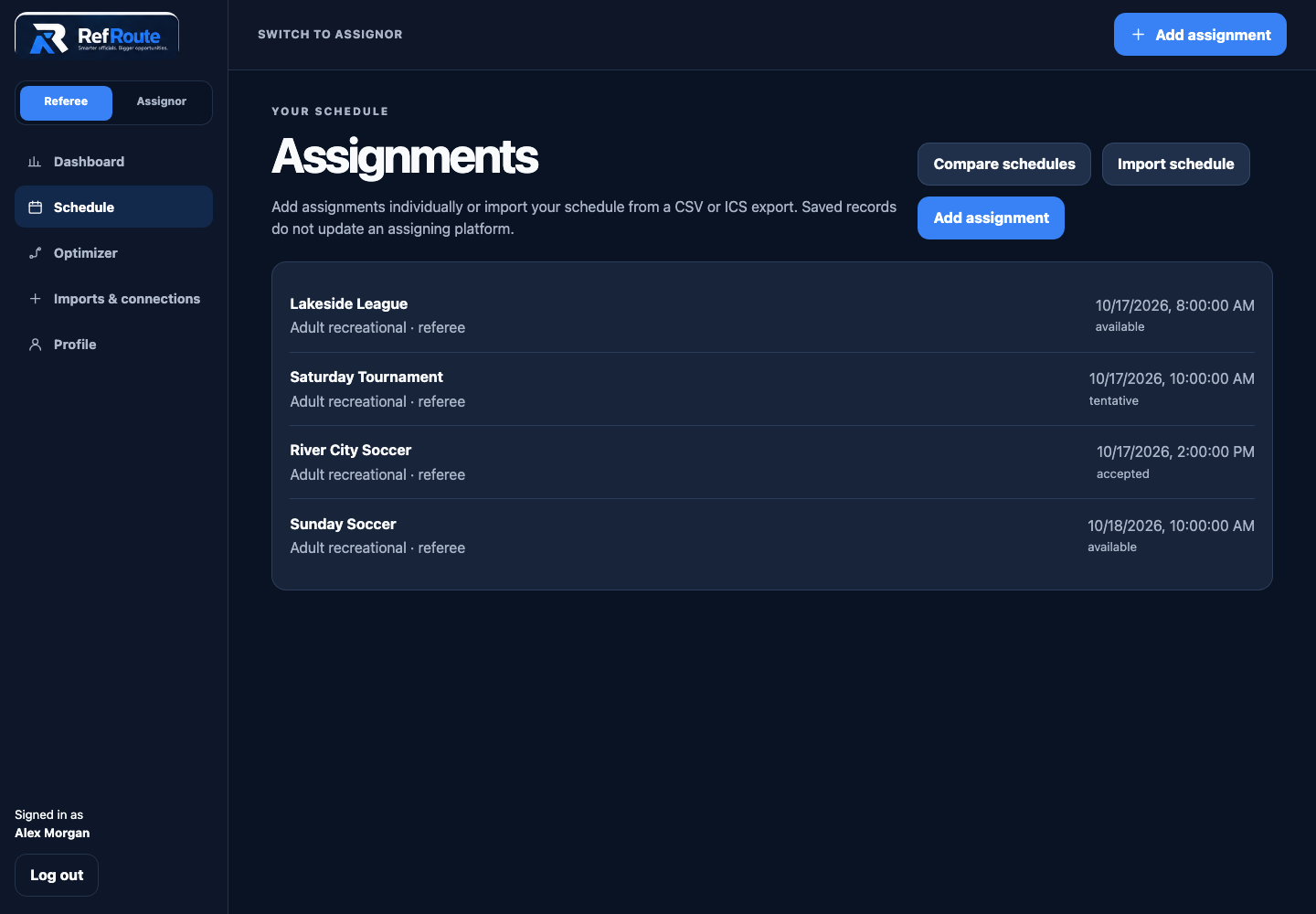
Keep your commitments in view.
Bring assignments from different leagues and assignors into your referee schedule. Accepted games stay fixed in the optimizer by default. A replacement what-if lists the commitments you would need to release; RefRoute never cancels or accepts anything for you.
- Manual games and authorized file imports
- Accepted commitments protected by default
- Your assigning platform remains the source of official confirmations
Less re-entry
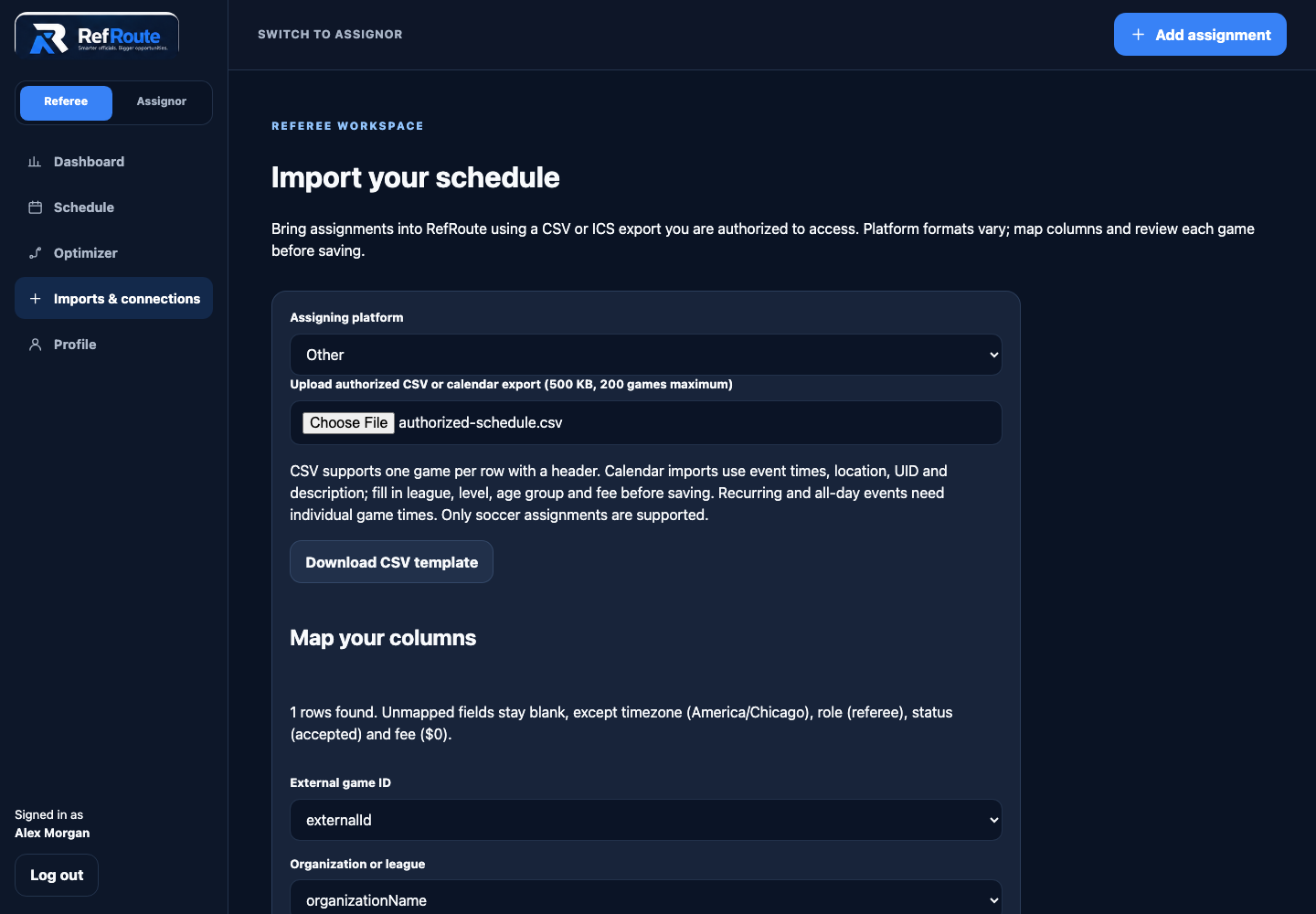
Bring your existing schedule with you.
Upload an authorized CSV or nonrecurring ICS export, map its columns, and review the games before saving. Keep using your existing assigning systems while building your own planning workspace.
- Editable import preview before saving
- Matching imported game identities skipped instead of overwritten
- File imports are available; direct platform sync is not connected
The inputs behind the result
Understand what one game is worth.
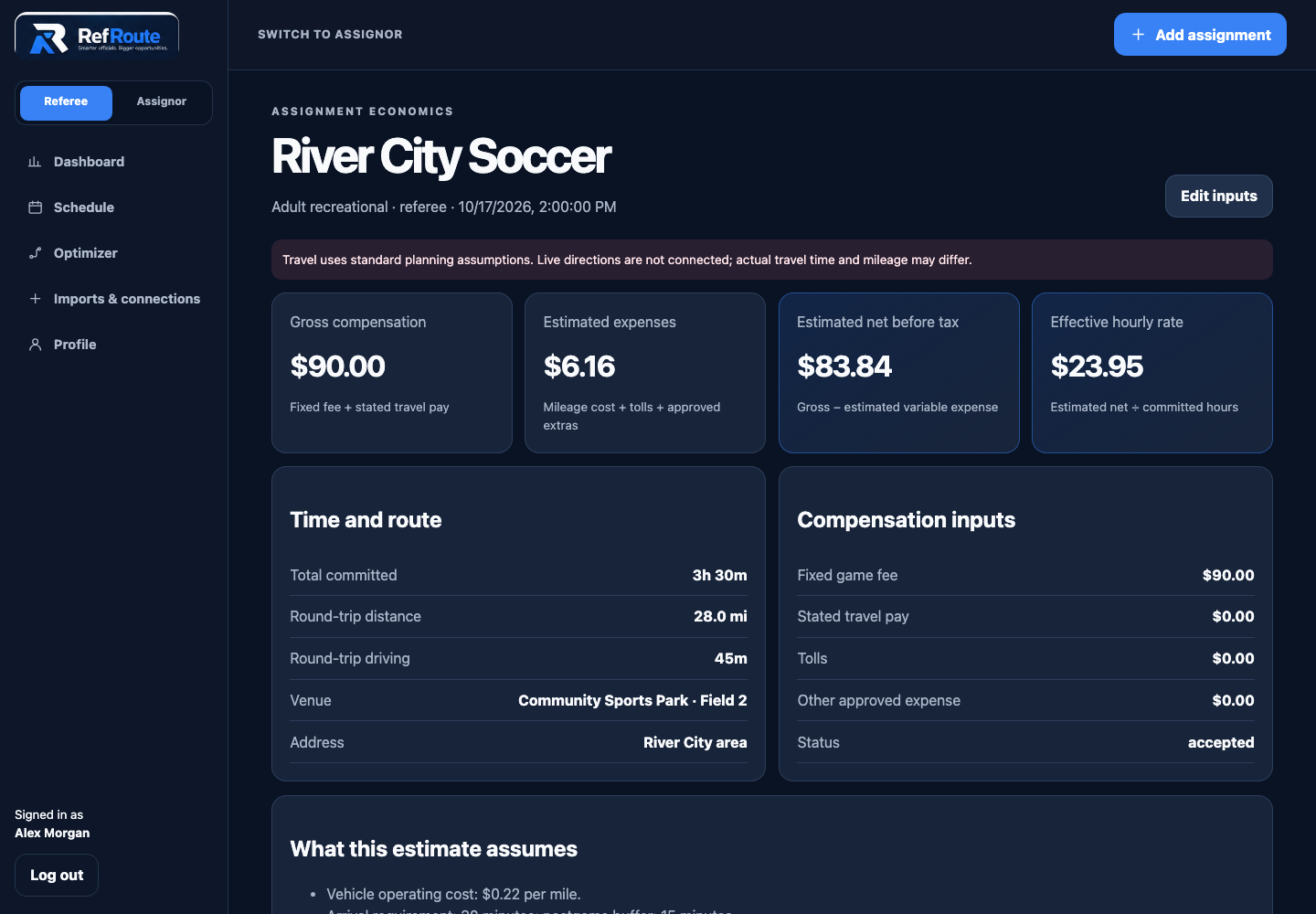
Open an assignment to see its fee, modeled expenses, net before tax, committed time, and estimated hourly rate. Your personal economics and approximate start area stay private from assignors.
- Transparent assumptions instead of a mystery score
- Operating cost estimates kept separate from tax deductions
- Planning estimates—not guaranteed income or arrival feasibility
Start with your next officiating weekend.
Add or import your games, review travel assumptions, then compare combinations. The optimizer is available for pilot testing. Season analytics, income goals, live directions, and direct platform connections are not yet available.
Questions about the optimizer?